 PowerConduit
For Windows and Android
Talk to your Claude Code workers, hands-free.
PowerConduit is a voice and screen assistant. Say what you want done and an orchestrator sets Claude Code sessions to work in your projects, then tells you when each one finishes, fails or has a question. It also talks to your PowerCloud Center agents and your Gmail, and, when you ask, sees and works the apps on your screen.
How it works
The voice and the window for a service you run.
PowerConduit is the voice and the window. The work is done by the PowerConduit voice service, which you run on a computer of your own. There is no Unidatum account and no server of ours in between.
Step 1
Run the voice service
The service (vccd) runs on a Linux computer you control, with Claude Code signed in to your own Anthropic account. It keeps one Claude session that listens to you and starts, checks, instructs and stops the others.
Step 2
Pair the app once
Type the service's address in Settings and the six-digit code the service shows. Reach it over your own network or Tailscale.
Step 3
Press Start and talk
Just talk, or on Windows hold Right Ctrl to talk. Claude answers out loud and in the conversation, and you can always type instead.
Features
What it does
An orchestrator for your Claude Code workers
"In the shop project, add a keyboard shortcut, test it and commit." The orchestrator starts a Claude Code session in that project, and you hear when it finishes, fails or asks something. Ask how the workers are doing, tell one to push when it is done, or ask for an update every ten minutes. What happened while you were away is summed up when you reconnect.
Your PowerCloud Center agents
Ask the Assistant, a design's architect, or an app's developer, product manager and UX designer: "anything waiting on me in PowerCloud?", "ask the checkout developer how the tests are going". Start a new design or a developer by voice. Steps are approved or skipped only when you have just said so.
Your email, read to you
Connect your own Gmail accounts to your service: hear what is worth your time, have an email read aloud, and dictate a reply. Replies are drafts, read back to you and sent only after you say "send it". Archive and label by voice; nothing is ever deleted. Emails are read by a separate Claude with no tools at all.
Your screen, when you ask
Say "what's on my screen?" or "play the next video". Claude, through your service, can look at the screen and click, type and scroll in other apps. On Android this works only after you switch on PowerConduit's accessibility service in Android settings; on Windows, Settings shows that it is on.
Hands-free on the road
On Android the conversation keeps going with the screen off, through your Bluetooth headset. The headset button stops Claude's voice while it speaks, and otherwise mutes or unmutes the microphone.
Interrupt it like a person
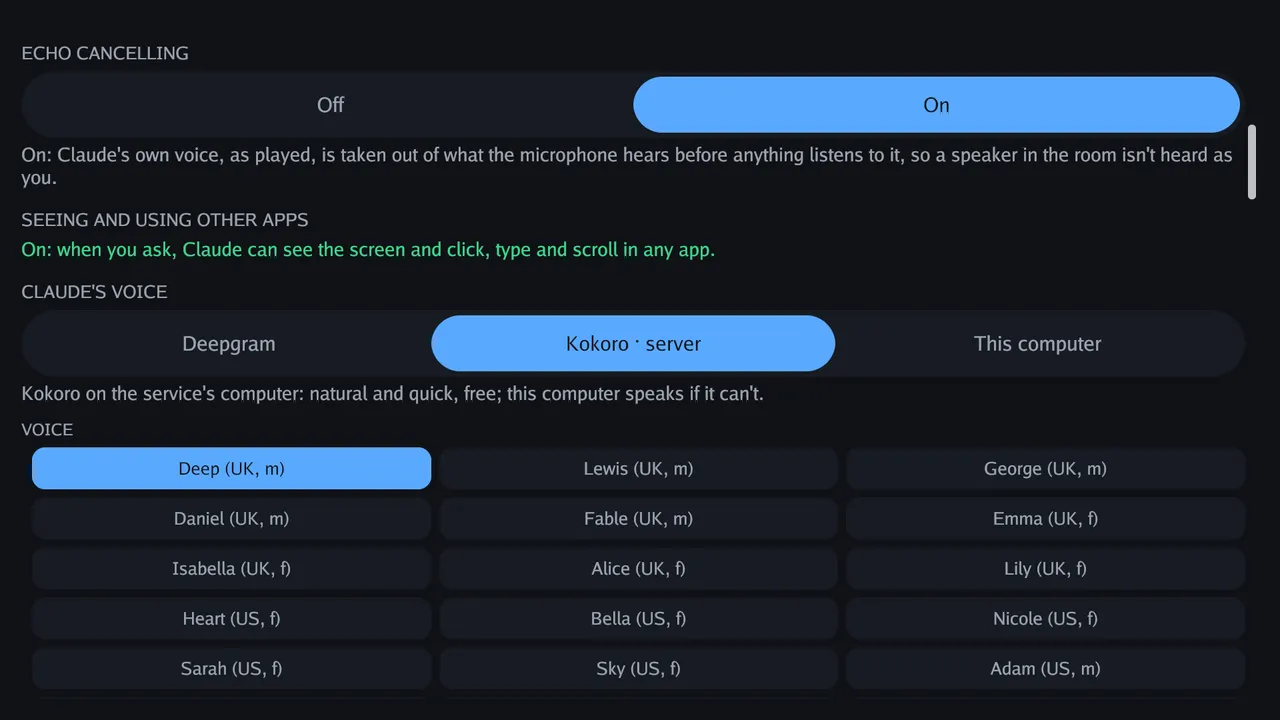
Talk over Claude and it stops, Careful or Eager as you like. Echo cancelling takes Claude's own voice out of what the microphone hears, so your PC's speakers work as well as a headset.
Your choice of hearing and voices
Your speech can be heard by Deepgram through your service, by Whisper on your service's computer, or by Whisper on the device itself, so your voice never leaves it. Claude's voice can be Kokoro on your service, Deepgram's, or the device's own.
Your sessions at a glance
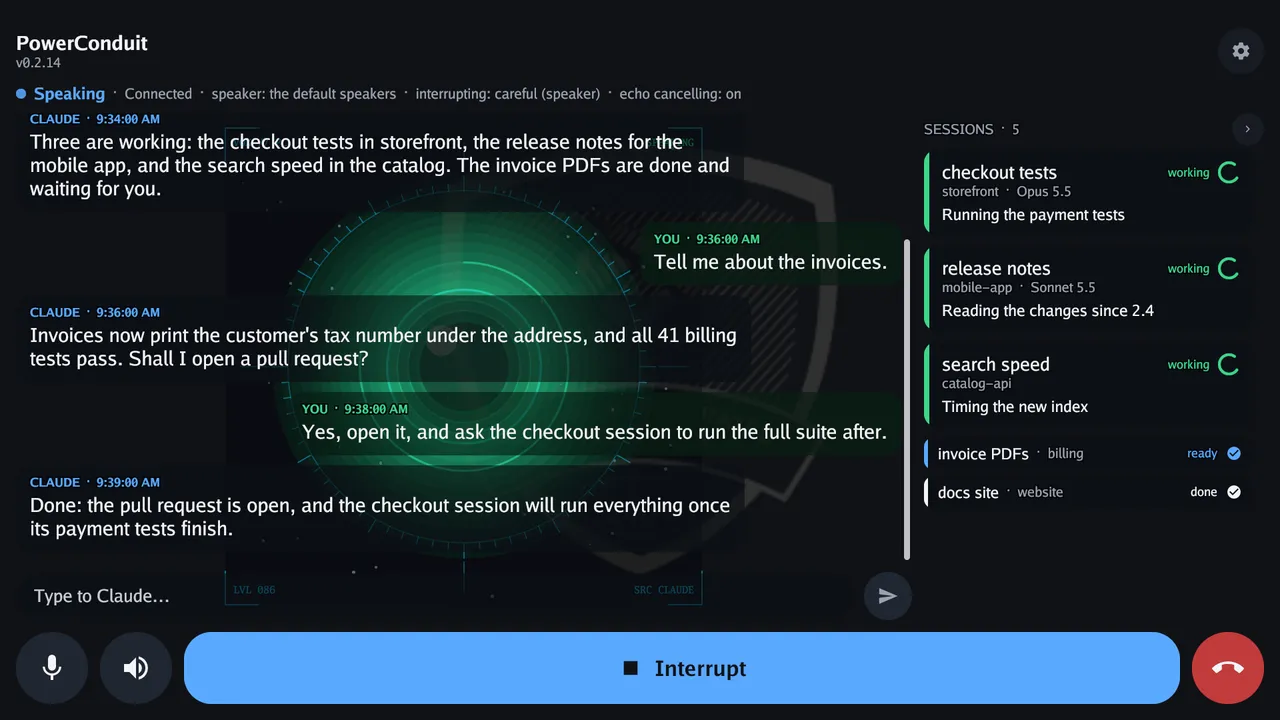
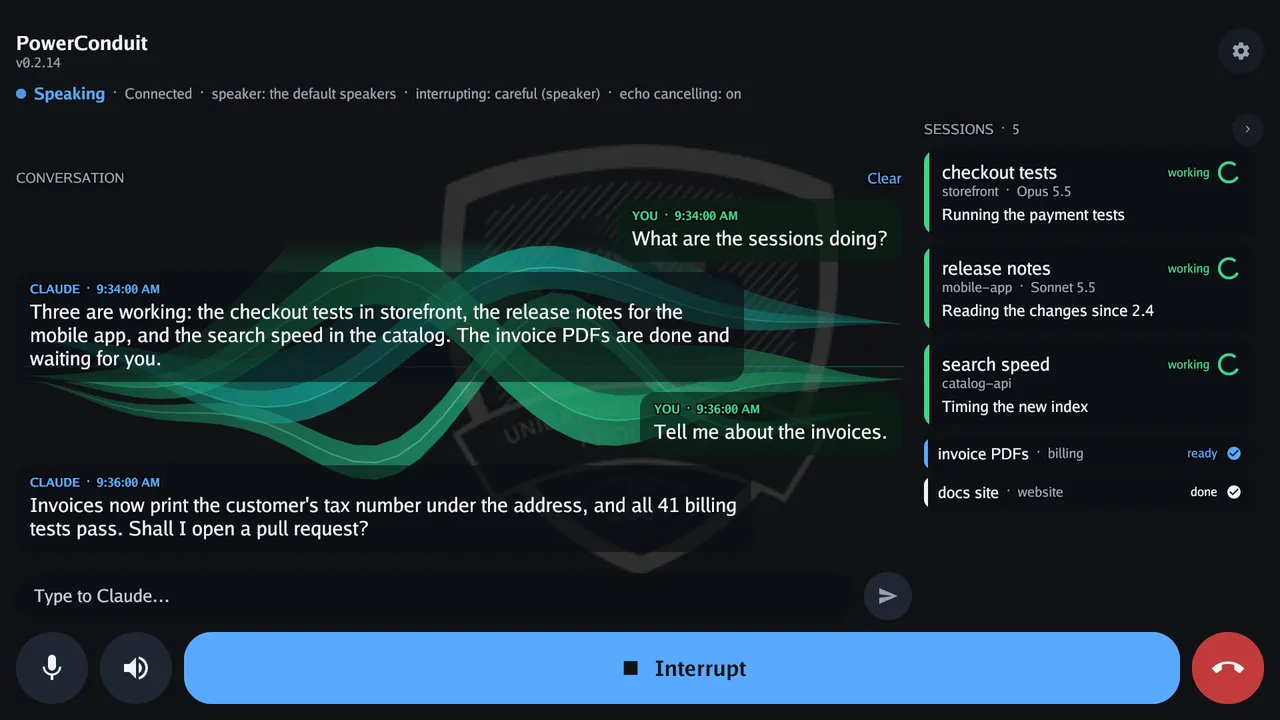
A sessions panel beside the conversation shows each Claude Code session: what it is doing now, which model runs it, and which are ready for you. Images and links Claude shows appear in the conversation.
No account, no tracking
The app talks to the voice service you pair it with, and Unidatum receives nothing from it. No ads, no analytics, no crash reporting.
On screen
A voice you can see
The voice is pictured behind the conversation, blue while you speak and green while Claude does. Hearing, voices and interrupting are each a choice in Settings.
Requirements
Before you install
- PowerConduit needs the PowerConduit voice service running on a computer you control: Linux, with Claude Code signed in. The app does nothing on its own.
- The voice service is not yet a public download. Write to us from the support page if you would like it.
- Claude Code, and Deepgram if you choose it, are paid for by you, under your own accounts, on your service.
- Windows 10 (version 1809) or later, with a microphone. Android 10 or later, on a 64-bit ARM phone.
- PowerConduit is in English.
Download
Get PowerConduit
Both store listings are on their way and not live yet. This page will link to them as soon as they are.
Windows
Microsoft Store · Store ID 9NRBGR6ZJGTK
Coming soon
Android
Google Play · App ID com.unidatum.powerconduit
Coming soon